

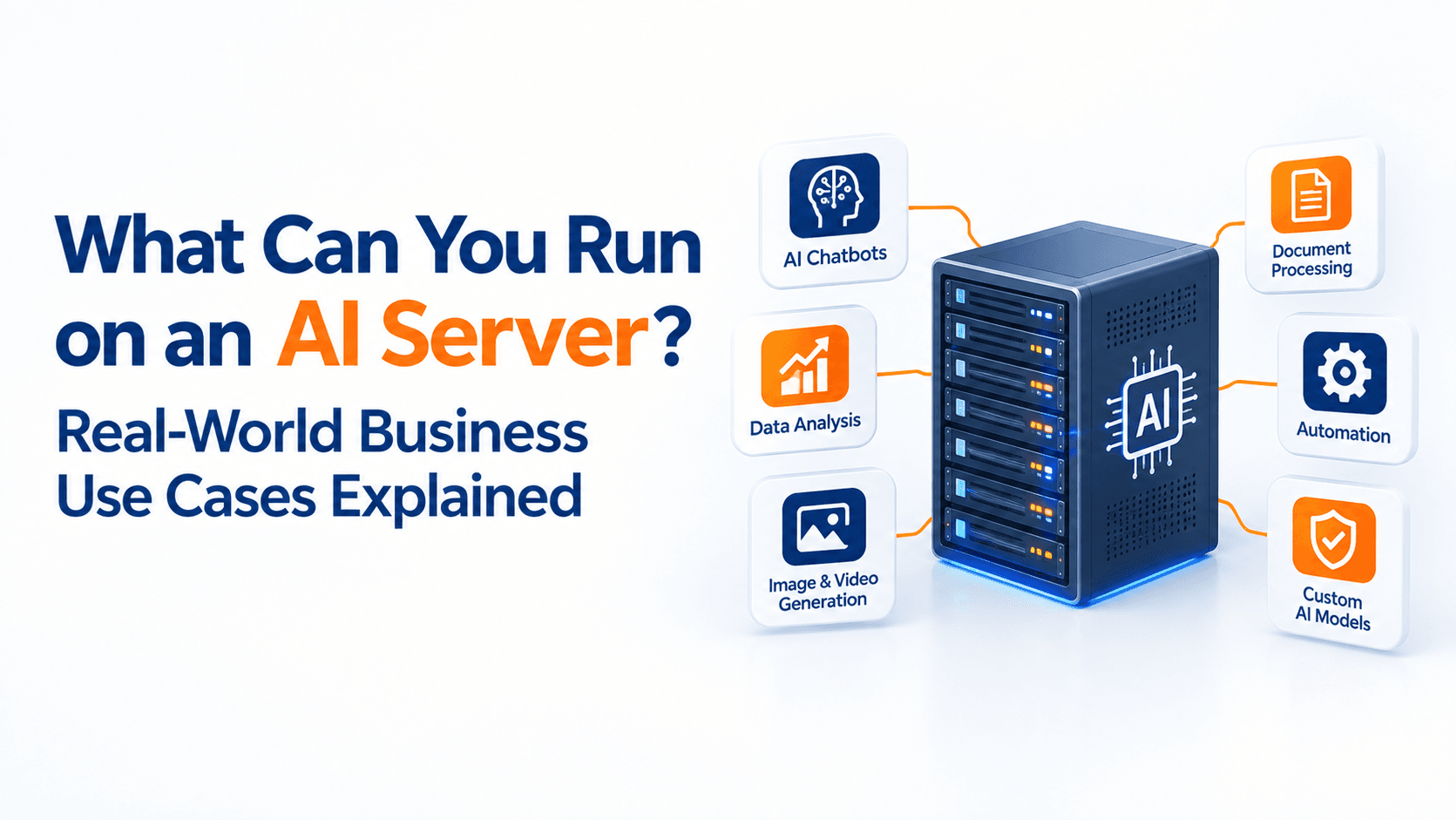
What Can You Run on an AI Server? Real-World Business Use Cases Explained
Artificial intelligence is moving from experimentation into everyday business operations.
Companies are using AI for customer support, document processing, business analytics, content generation, computer vision, cybersecurity, software development, and internal knowledge management. As these applications become more demanding, businesses may need dedicated infrastructure capable of running AI workloads efficiently.
This is where an AI server comes in.
An AI server is a computing system designed to handle workloads such as machine learning, deep learning, generative AI, model training, fine-tuning, and AI inference. Depending on the workload, an AI server may use GPUs or other accelerators alongside powerful CPUs, high-speed memory, fast storage, and suitable networking.
But what can a business actually run on one?
Let’s look at some practical use cases.
What Is an AI Server?
An AI server is a server configured to run computationally intensive artificial intelligence and machine learning workloads.
Unlike a standard business server that may primarily handle websites, databases, email, or file storage, an AI server is designed for workloads that require significant parallel computing power.
AI servers can be used for:
- AI model inference
- Machine learning
- Deep learning
- Generative AI
- Large language models
- Computer vision
- Speech processing
- Data analysis
- Model training and fine-tuning
The exact hardware requirements depend heavily on the model size, workload, number of users, response-time requirements, and whether the business is training models or simply running existing models. NVIDIA, for example, describes GPU-accelerated infrastructure for generative AI, LLMs, recommender systems, computer vision, and other inference workloads.
1. Run Your Own AI Chatbot
One of the most practical uses of an AI server is hosting an AI chatbot or internal AI assistant.
Instead of sending every request to a third-party AI service, a business can deploy selected models within its own infrastructure.
A company could create an assistant that answers questions about:
- Company policies
- Product information
- Internal procedures
- Employee documentation
- Technical manuals
- Customer support information
- Knowledge bases
This becomes particularly useful when the AI needs to work with private business information.
A retrieval-augmented generation (RAG) system can connect an AI model to company documents and knowledge sources so that responses are grounded in the organization’s information.
2. Private Generative AI
An AI server can also be used to run private generative AI applications.
Businesses may use locally hosted models for tasks such as:
Content Generation
AI can help generate:
- Product descriptions
- Marketing drafts
- Email responses
- Internal documentation
- Reports
- Social media drafts
Summarisation
AI can process large amounts of text and produce summaries of:
- Meetings
- Reports
- Customer conversations
- Research documents
- Internal communications
LLM inference is already used for applications such as chatbots, summarisation, code generation, search assistants, and enterprise workflow automation.
3. Document Processing and Data Extraction
Businesses handle large numbers of documents every day.
An AI server can process documents and extract useful information from them.
For example, an accounting company could use AI to identify information from invoices.
A logistics company could process shipping documents.
An HR department could extract information from resumes and application forms.
A legal team could use AI to help analyse contracts and other documents.
The workflow might look like:
Document → OCR → AI processing → Information extraction → Database or business application
This can reduce repetitive manual work while allowing employees to focus on tasks that require human judgment.
4. AI-Powered Customer Support
AI servers can support customer service applications.
A business could deploy an AI assistant that handles common questions before escalating more complicated issues to employees.
For example:
Customer question → AI assistant → Knowledge base → Response → Human escalation if required
This can be useful for businesses that receive a large volume of repetitive customer enquiries.
AI can also assist human support teams by summarising conversations, suggesting responses, and retrieving relevant information.
5. Run AI Search Across Company Documents
Imagine an employee wants to find information inside thousands of company documents.
Instead of manually searching through folders, an AI-powered search system can allow employees to ask questions in natural language.
For example:
“What is our standard warranty period for Product X?”
The system can search the company’s approved documents and provide an answer based on the available information.
This type of enterprise knowledge assistant can combine an LLM with document retrieval and access controls.
It can be especially useful when a business has accumulated years of manuals, policies, reports, presentations, and other documents.
6. Computer Vision and Image Analysis
AI servers aren’t limited to text.
They can also run computer vision workloads that analyse images and video.
Potential applications include:
- Manufacturing quality inspection
- Object detection
- Product inspection
- Security monitoring
- Image classification
- Medical image analysis
- Inventory monitoring
- Defect detection
For example, a manufacturing company could use cameras on a production line and an AI model to identify certain visual defects.
Computer vision and deep-learning workloads are among the applications supported by accelerated AI infrastructure.
7. AI for Cybersecurity
AI servers can also support security operations.
AI models can analyse large volumes of logs, network activity, user behaviour, and security events to identify unusual patterns.
Possible applications include:
- Anomaly detection
- Fraud detection
- Phishing detection
- Threat analysis
- Behaviour analytics
- Security event classification
AI-based security systems can process large amounts of information and help security teams identify events that deserve further investigation. NVIDIA, for example, lists behaviour analytics, fraud detection, phishing detection, and ransomware-related workloads among AI cybersecurity applications.
AI should complement, rather than replace, established security controls and human review.
8. Machine Learning and Predictive Analytics
Businesses can use AI servers to train and run machine learning models that identify patterns in historical data.
Possible applications include:
- Demand forecasting
- Sales forecasting
- Customer churn prediction
- Fraud detection
- Predictive maintenance
- Recommendation systems
- Risk analysis
For example, a retailer could analyse historical sales data to forecast future demand.
A manufacturing company could analyse equipment data to identify patterns that may indicate potential failures.
These applications don’t always require a large language model. Traditional machine learning can still be highly valuable for structured business data.
9. AI-Powered Software Development
Development teams can use AI servers to run coding assistants and other developer tools.
Possible applications include:
- Code generation
- Code explanation
- Documentation generation
- Test generation
- Debugging assistance
- Code search
- Internal development assistants
A company could connect an AI assistant to its internal documentation and approved code repositories, allowing developers to ask questions about their own systems.
10. Speech and Voice AI
AI servers can also support speech-related workloads.
Businesses can build systems for:
- Speech-to-text
- Text-to-speech
- Voice assistants
- Call transcription
- Meeting transcription
- Voice analytics
- Automated customer interactions
For example, a customer support organisation could transcribe calls and use AI to summarise conversations automatically.
This can make it easier to analyse large volumes of customer interactions.
11. Fine-Tune Models for Specific Business Requirements
Businesses may also use AI servers for model fine-tuning.
Fine-tuning can adapt a model for a particular task or domain using appropriate training data.
For example, a company might want a model that performs better at:
- Technical terminology
- Industry-specific classification
- Internal document processing
- Customer support workflows
- Domain-specific language
However, fine-tuning is not always necessary. Many business applications can use an existing model combined with good prompting, retrieval, tools, and company data.
The right approach depends on the business requirement.
AI Training vs AI Inference: What’s the Difference?
This is an important distinction when planning an AI server.
AI Training
Training involves teaching or adapting a model using data.
Training can require substantial computing resources depending on the size of the model and dataset.
AI Inference
Inference means running an already trained model to generate predictions or responses.
For example, when a customer asks an AI chatbot a question and the model generates an answer, that is inference.
Businesses often have different infrastructure requirements for training and inference. Enterprise AI environments may also need to manage multiple workloads with different latency, capacity, and data requirements.
What Hardware Does an AI Server Need?
There is no single AI server configuration that works for every business.
The appropriate configuration depends on the workload.
Important considerations include:
GPU
The GPU is often one of the most important components for demanding AI workloads.
The required GPU type and memory depend on the models and workloads being run.
CPU
The CPU handles operating-system tasks, data processing, orchestration, and workloads that don’t require GPU acceleration.
RAM
Large datasets and AI applications may require substantial system memory.
GPU Memory
GPU memory can be particularly important when running larger AI models.
Storage
Fast NVMe or SSD storage can help with datasets, model files, applications, and caching.
Network
High-speed networking becomes increasingly important when AI workloads use multiple servers or need to move large datasets.
Should Every Business Buy an AI Server?
No.
An AI server makes sense when there is a clear workload that benefits from dedicated infrastructure.
For occasional AI experimentation, using an external AI API or cloud-based GPU may be more practical.
A dedicated AI server becomes more relevant when a business needs:
- Frequent AI workloads
- Predictable performance
- Private AI processing
- Control over infrastructure
- High-volume inference
- Model development
- Fine-tuning
- Computer vision
- Large-scale data processing
The decision should begin with the business workload rather than the hardware specification.
How to Plan an AI Server for Your Business
Before choosing hardware, define what you actually want to run.
Ask:
- Which AI application will we run?
- Will we train, fine-tune, or only run inference?
- How large are the models?
- How many users will access the system?
- What response time is required?
- How much data needs to be processed?
- Does the data need to remain private?
- What storage capacity is required?
- Do we need backups?
- Will the workload grow over time?
These questions can prevent businesses from overspending on infrastructure that they don’t actually need.
Build the Right AI Infrastructure
An AI server is not simply a powerful computer with a GPU.
A production AI environment may involve compute, storage, networking, security, monitoring, software, backups, and workload management. Enterprise AI infrastructure is increasingly designed around the complete lifecycle from development and training through deployment and inference.
For businesses exploring AI infrastructure, Site2Host can help evaluate server and hosting requirements based on the actual workload rather than simply recommending the most powerful hardware available.
Whether you need infrastructure for AI inference, machine learning, private AI applications, data processing, or development, the right configuration should be based on your application’s requirements, expected usage, security needs, and future growth.
Frequently Asked Questions
What can an AI server be used for?
An AI server can run workloads such as generative AI, LLM inference, machine learning, computer vision, document processing, predictive analytics, speech processing, AI assistants, and model training or fine-tuning.
Do AI servers always need GPUs?
Not necessarily. Some AI workloads can run on CPUs, while demanding workloads often benefit from GPUs or other accelerators. The right hardware depends on the model and application.
Can an AI server run a private chatbot?
Yes. An appropriately configured AI server can host AI models and supporting systems for private chatbot applications, including assistants connected to company documents and knowledge bases.
Can businesses use AI servers for data analysis?
Yes. AI servers can support machine learning, predictive analytics, data processing, classification, forecasting, and other data-intensive workloads.
Is an AI server better than cloud AI?
Neither is universally better. Cloud services can provide flexibility and access to on-demand computing resources, while dedicated or private infrastructure can provide greater control over workloads, data location, and predictable capacity. The right choice depends on the business’s requirements and workload.
With proven results, industry expertise, and reliable support, we consistently deliver outcomes that competitors cannot match. If you want an infrastructure that grows with your ambitions and never lets your visitors down, get in touch with Site2Host today.
📞 +91-88988 16336 | +91-97681 14582
📧 sales@site2host.com
🌍 www.site2host.com
Facebook
Twitter
LinkedIn
Email
Latest Post
September 17, 2026
September 10, 2026

August 29, 2026
Related Article
September 25, 2026
No Comments
September 25, 2026
No Comments
September 17, 2026
No Comments